Appearance
Layout corrector
INFO
NOTE: This functionality is available exclusively in Shadow mode. It is not supported for iFrame integration.
The Layout corrector ensures seamless integration of the Sportsbook application, significantly simplifies page setup, saves development time, and enhances the overall user experience.
Layout corrector: Automatic parent page style corrections
The Layout corrector automatically detects and resolves style-related issues on the partner page that could interfere with the proper display and functionality of the integrated Sportsbook application.
Detection criteria:
The DOM tree is scanned upwards from the #sportsbook-app container to identify problematic CSS properties, including:
- Fixed dimensions (
height,max-height) - Overflow properties (
overflow: hidden,overflow: clip,overflow: auto) - Fixed positioning (
position: fixed,position: absolute) - Fixed sizes in flex containers (
flex-basis,flex) - Elements with explicitly set
z-indexvalues that may overlap application content
Advantages of layout corrector:
- Automatic diagnostics: Clearly identifies potential problematic elements and provides specific recommendations for style corrections.
- Flexible modes:
- Manual mode (default): Provides detailed console logs describing style issues and corrective recommendations.
- Automatic mode (
allowToChangeParentStyles: true): Automatically applies necessary corrections directly into a dedicated<style>tag (sb-parent-patches) on the partner page.
- Safety and control: All automatic changes are applied through a clearly identifiable, removable, and manageable CSS injection.
Automatic corrections include:
overflow: hidden|clip|auto→ corrected tooverflow: visible- Fixed heights → adjusted to flexible dimensions (
height: auto; max-height: none; min-height: 0;) - Fixed positioning → changed to relative (
position: relative; min-width: fit-content;) - Fixed flex sizes → adjusted to flexible dimensions (
flex-basis: auto; flex: auto;) - Explicit
z-indexvalues → reset to default (z-index: auto;)
Enabling automatic corrections:
To activate automatic style corrections, initialize the integration as follows:
javascript
Sportsbook.init({
  allowToChangeParentStyles: true, // Enable automatic style corrections
  ...otherParams,
});Partner recommendations:
- Start with manual mode to review potential style issues.
- Activate automatic mode only after reviewing and if manual corrections are not feasible.
Layout gapsDetector (safe-area detection for fixed headers/footers)
INFO
NOTE: This functionality is available only in Shadow mode. It is not supported for iFrame integration.
The Layout gapsDetector is a utility that detects “safe-area” gaps occupied by fixed, sticky, or some absolute header/footer elements on the page.
It helps the Sportsbook integration determine how much vertical space is effectively unavailable at the top or bottom of the viewport. This may be caused by UI overlays such as a sticky header or fixed bottom navigation.
How it works (high level)
Scans the DOM for elements that look like a horizontal bar:
- The element is visible (not
display: none, notvisibility: hidden, non-zero rect). - The position is fixed, sticky, or absolute.
- The width is at least ~60% of the viewport (configurable).
- The height is within a configurable maximum ratio.
- The element is visible (not
Classifies candidates as header or footer using heuristics:
- Semantic hints:
<header>,<footer>,role="banner",role="contentinfo", class names containing header / footer. - Edge proximity: Near the top or bottom edge of the viewport.
- Style hints: Computed
top: 0(header) orbottom: 0(footer).
- Semantic hints:
Continuously updates on:
- Intersections (visibility and viewport changes).
- Element resize.
- Window resize.
Outputs
The detector computes the following values:
topGap: Maximum vertical overlap at the top (typically corresponds to header height or overlap).bottomGap: Maximum vertical overlap at the bottom (typically corresponds to footer height or overlap).
In Shadow mode runtime, these values are forwarded to the host page via postMessage as:
type:parentGapsdata:{ top: number, bottom: number }
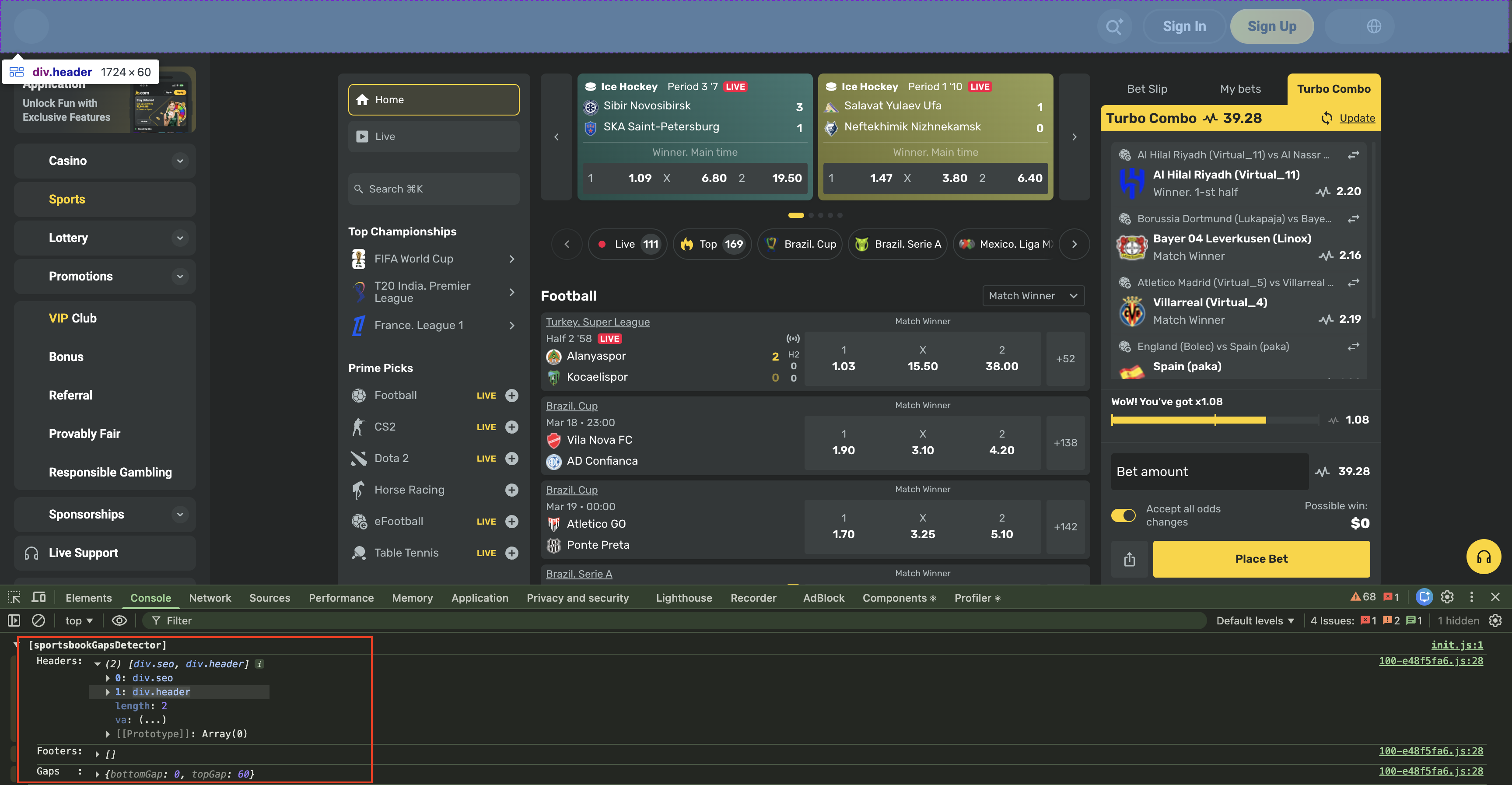
Ignoring false positives (ignore logic)
Some partner pages can contain “false” bar-like elements (for example SEO blocks, invisible overlays, or banners inside containers) that match the heuristics but should not be considered for gap calculation.
To explicitly exclude an element from gapsDetector classification, add:
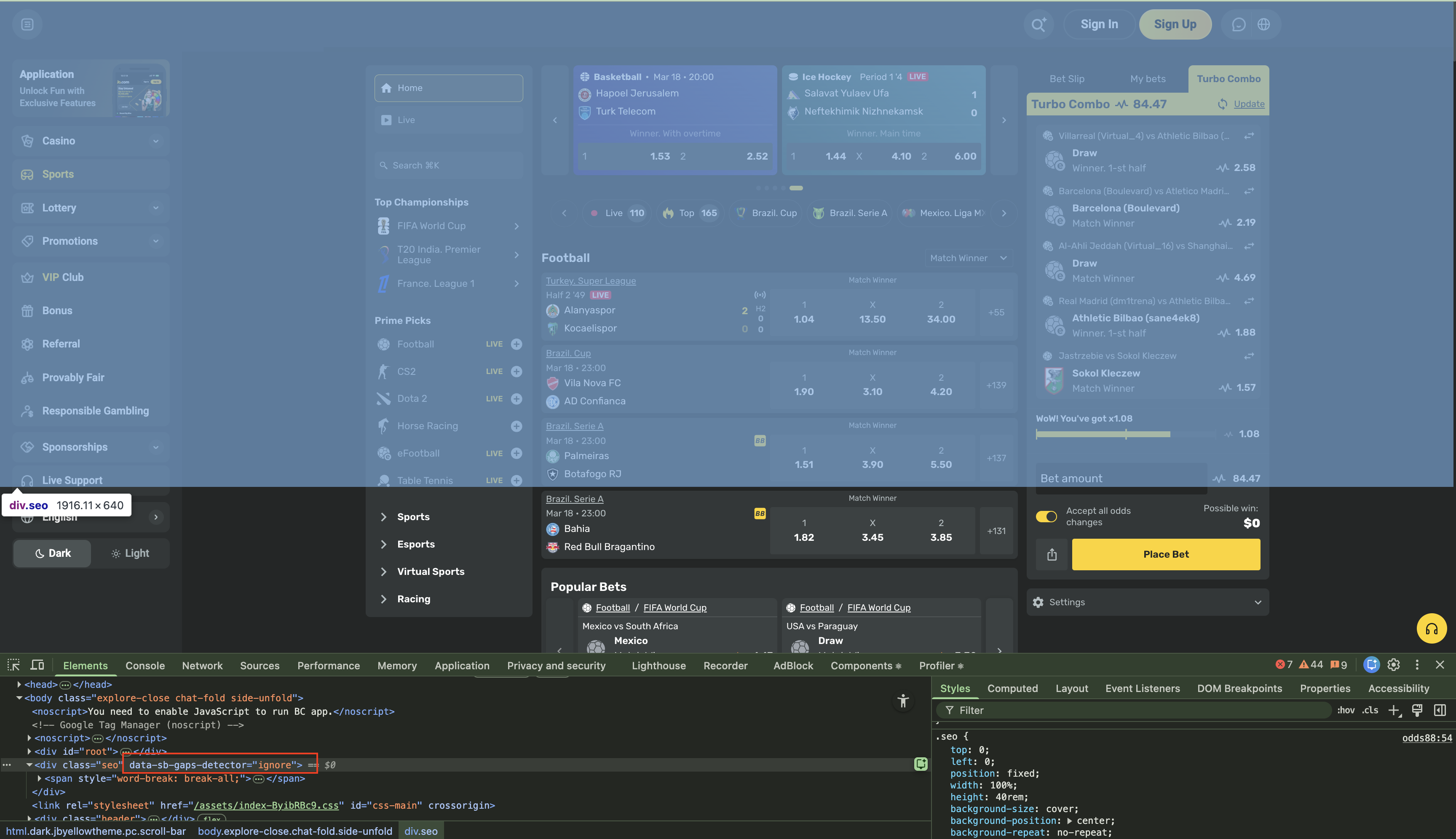
data-sb-gaps-detector="ignore"
Example:
html
<div class="seo-class" data-sb-gaps-detector="ignore">
  Example: seo sentence is here
</div>Screenshot 1 (before): The page contains a “false” bar-like block (fixed height, ~opacity: 0.001, visually invisible). The gapsDetector still detects this element and includes it in the gap/height calculation.
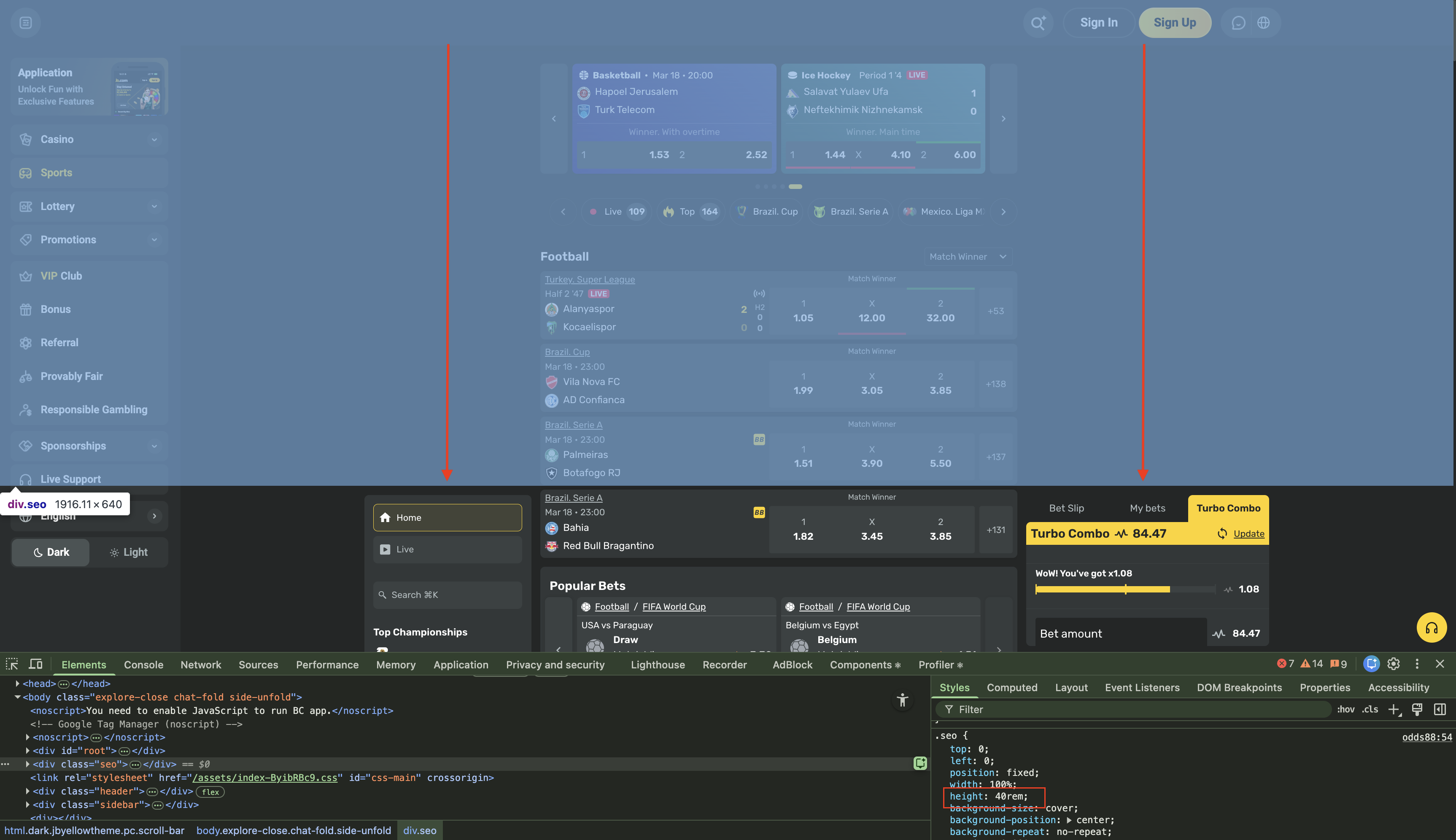
Screenshot 2 (after): The same block is marked with data-sb-gaps-detector="ignore", and is excluded from detection, resulting in correct gap calculation.